
Download WriterX – AI Writing Tool for Content Creation, SEO & Productivity
Overview
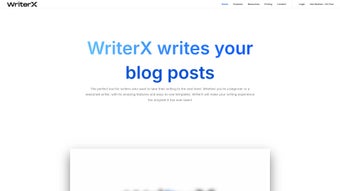
WriterX is a comprehensive AI‑powered writing companion that targets anyone who wants to boost the speed, quality, and relevance of their written content. Built on state‑of‑the‑art language models, WriterX can draft articles, craft social‑media snippets, generate product descriptions, and even translate text into multiple languages—all from a clean, user‑friendly interface. The platform’s core promise is to eliminate writer’s block by instantly delivering engaging, audience‑tailored copy.
Whether you’re a student drafting a research paper, a blogger looking for fresh post ideas, or a marketing team that needs high‑volume ad copy, WriterX adapts its output to the specific tone, style, and SEO goals you set. In addition to content generation, WriterX offers built‑in SEO tools that suggest catchy headlines, keyword‑rich meta tags, and readability scores to help your pages rank higher in search results. While the software currently requires an internet connection and offers a limited set of pre‑designed templates, its real‑time AI assistance, multilingual support, and seamless integration with popular publishing platforms make it a powerful ally for modern writers.
The balance between automation and control lets users edit, refine, and personalize each output, ensuring the final product feels authentic while still benefiting from AI efficiency.
Key Features
- Automated Content Drafting: Generate full‑length articles, blog posts, or marketing copy in seconds by simply entering a topic or a brief outline.
- AI‑Driven SEO Optimization: Receive headline suggestions, keyword recommendations, and readability scores that align with Google’s best practices.
- Multilingual Translation: Translate drafts into over 30 languages without leaving the app, perfect for global campaigns.
- Audience‑Specific Personalization: Choose target personas (e.g., tech‑savvy millennials, B2B decision‑makers) and let WriterX tailor tone, formality, and vocabulary accordingly.
- Template Library: Access a growing collection of pre‑built templates for blog intros, product descriptions, email newsletters, and social media posts.
- Grammar & Style Checker: Integrated proofreading that flags spelling errors, passive voice, and complex sentences, ensuring error‑free writing.
- Collaboration Mode: Share drafts with teammates, add comments, and approve revisions in real time.
- Export Options: Save content as Word, PDF, Markdown, or directly publish to WordPress, Medium, and HubSpot.
- Secure Cloud Storage: All drafts are encrypted in transit and at rest, complying with GDPR and CCPA standards.
- Continuous Updates: Monthly AI model improvements and feature releases keep WriterX ahead of emerging writing trends.
Installation & Usage Guide
Getting started with WriterX is intentionally straightforward, so even users with limited technical expertise can begin creating content within minutes. Follow these steps for a smooth setup:
- Visit the Official Site: Navigate to writerx.com/download and click the Download for Windows or Download for macOS button, depending on your operating system. A Mac user will receive a .dmg file, while Windows users receive an .exe installer.
- Run the Installer: Open the downloaded file and follow the on‑screen prompts. The installer requests permission to create a shortcut on your desktop and to add WriterX to your start menu. Accept these options for easy future access.
- Create an Account: Upon first launch, you’ll be prompted to sign up with an email address or a Google/Apple ID. A verification email is sent to confirm your account, after which you can choose a subscription plan (Free, Pro, or Enterprise).
- Choose a Template: The dashboard presents a clean tile view of templates. Click “Blog Post” to start a long‑form article, “Social Media” for quick snippets, or “Custom” to start from a blank canvas.
- Define Your Brief: In the text box, type a concise prompt such as “Write a 800‑word guide on sustainable travel for Gen Z.” You can also add tone preferences (e.g., “professional” or “conversational”) and target keywords.
- Generate & Refine: Press the “Generate” button. Within seconds, WriterX delivers a draft. Use the built‑in editor to adjust sections, add images, or request alternative phrasings by clicking “Regenerate” on any paragraph.
- SEO Review: Click the “SEO Insights” tab to view headline suggestions, keyword density, and a readability score. Make any recommended changes directly in the editor.
- Export or Publish: Once satisfied, click “Export” to download the file in your preferred format or use the “Publish” button to send the content straight to your WordPress site or social media scheduler.
- Stay Updated: WriterX checks for updates automatically. When a new version is available, a notification appears in the bottom‑right corner. Click “Update Now” to enjoy the latest AI enhancements.
Because WriterX is cloud‑based, all changes are saved in real time, eliminating the risk of losing work. The platform also offers a 14‑day free trial for the Pro plan, allowing you to explore premium features like unlimited templates and advanced SEO analytics before committing to a subscription.
System Compatibility, Pros & Cons
WriterX runs natively on Windows 10/11 (64‑bit) and macOS 12 Monterey or later. Mobile apps are available for Android 8.0+ and iOS 13+, providing on‑the‑go drafting capabilities. The web version works with the latest versions of Chrome, Firefox, Edge, and Safari, ensuring cross‑platform accessibility.
Pros
- Fast, AI‑generated drafts reduce writing time by up to 70%.
- Integrated SEO tools help improve search rankings without extra software.
- Multilingual support broadens audience reach for global marketers.
- Collaboration mode streamlines team workflows and version control.
- Secure cloud storage keeps data protected and compliant with privacy regulations.
- Regular model updates keep the AI current with language trends.
Cons
- No offline mode – a stable internet connection is required for all features.
- Template library, while growing, is still limited compared to some niche competitors.
- Free tier imposes a daily generation cap, which may be restrictive for heavy users.
- Advanced SEO analytics are locked behind the Pro subscription.
- Export formats are limited to Word, PDF, Markdown, and plain text.
Frequently Asked Questions
Can WriterX be used for academic writing?
Yes. WriterX includes a “Research Paper” template that follows academic structures such as abstract, introduction, methodology, and conclusion. The built‑in citation helper can format references in APA, MLA, or Chicago style, and the grammar checker ensures scholarly tone.
Is there a free version of WriterX?
WriterX offers a free tier that allows up to 5 content generations per day, access to basic templates, and a limited SEO score. For unlimited drafts, advanced templates, and detailed SEO analytics, you’ll need to upgrade to the Pro plan.
How secure is my data on WriterX?
All drafts are encrypted in transit (TLS 1.3) and at rest (AES‑256). WriterX complies with GDPR, CCPA, and ISO‑27001 standards, and you can enable two‑factor authentication for added account protection.
Can WriterX integrate with my CMS?
Yes. WriterX provides native plugins for WordPress, HubSpot, and Joomla, as well as an API for custom integrations. You can publish directly from the editor or export content for manual upload.
What languages does WriterX support for translation?
WriterX can translate content into more than 30 languages, including Spanish, Mandarin, German, French, Arabic, Hindi, and Portuguese. The translation engine is powered by the same AI model that generates the original copy, ensuring consistency in tone and terminology.
Conclusion & Call to Action
WriterX stands out as a versatile AI writing companion that balances speed, quality, and SEO insight. Its ability to generate complete drafts, adapt tone for specific audiences, and provide real‑time optimization makes it an essential tool for anyone looking to boost productivity and improve online visibility. While the reliance on an internet connection and a modest template library may be points of contention, the overall value delivered—especially for marketers, content creators, and students—far outweighs these minor drawbacks. If you’re ready to eliminate writer’s block, accelerate your content pipeline, and gain a competitive edge in search rankings, give WriterX a try. Start with the free trial, explore the Pro features, and experience how AI can transform your writing workflow.
Download WriterX now and unlock a smarter, faster way to create content.



.png)



